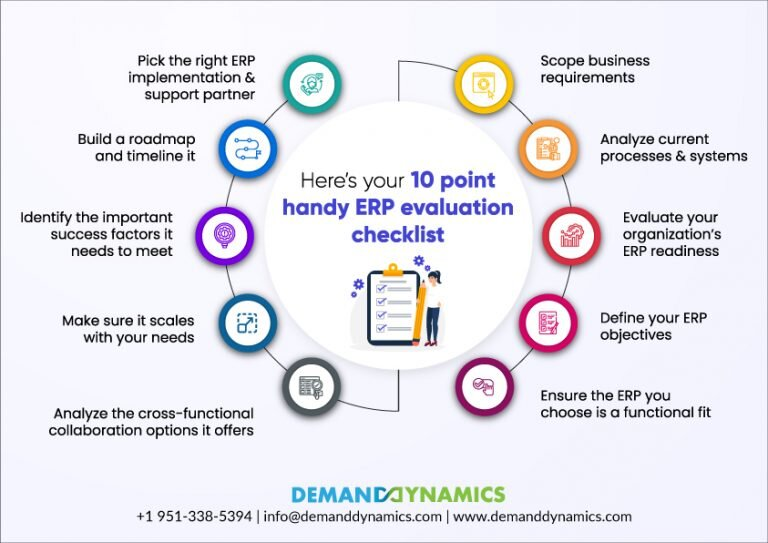
An ERP system demo is one of the most important steps in choosing the right software for your business. It gives you a chance to see the system in action, evaluate its usability, and understand whether it can align with your company’s unique processes. Rather than relying on brochures or feature lists, a demo provides a hands-on experience that helps you visualize how the software can improve efficiency, reduce costs, and support business growth.
Benefits of an ERP System Demo
- Firsthand Visualization: A demo lets you watch the ERP system in real-time, showing how modules like finance, inventory, and HR interact. This makes it easier to understand whether the workflow matches your operations.
- Hands-On Testing: You can try entering data, running reports, or exploring dashboards, giving you confidence in the system’s ease of use.
- Customization Check: Most ERP solutions allow customization. A demo highlights how the system can adapt to your unique processes.
- Direct Q&A: Vendors often use demos to answer client questions, making it the perfect opportunity to clarify pricing, integration, and support.
- Cost-Effective Decision Making: By testing the software upfront, you avoid investing in a system that may not meet your needs, saving time and money.
Key Features to Look for in an ERP System Demo
- User-Friendly Interface: Ensure employees can quickly learn and navigate the system.
- Customization Options: Look for flexibility in workflows, dashboards, and reports.
- Integration Capabilities: The system should integrate with CRM, e-commerce, and accounting tools.
- Scalability: Make sure it can support your growth in terms of users, modules, and transactions.
- Mobile Accessibility: A good ERP system allows access from smartphones or tablets, which is essential for modern businesses.
How to Get the Most Out of an ERP System Demo
- Prepare in Advance: Define your business goals and must-have features before attending the demo.
- Ask Questions: Don’t hesitate to clarify functionality, pricing, and support.
- Request Scenarios: Ask the vendor to show workflows based on your real processes (e.g., purchase orders, manufacturing runs).
- Focus on User Experience: Evaluate how intuitive the system feels for end-users.
- Compare Multiple Vendors: Attend several demos and take notes to compare usability, pricing, and scalability.
Common Mistakes to Avoid
- Attending demos without clear requirements.
- Focusing only on flashy features instead of practical functionality.
- Ignoring input from stakeholders who will actually use the system.
- Forgetting to evaluate post-implementation support and training.
Tips for a Successful Demo Presentation (For Vendors)
- Understand the Audience: Focus on features relevant to decision-makers (ROI for executives, usability for staff).
- Highlight Key Benefits: Show how the system solves real pain points like inventory delays or poor reporting.
- Use Real Examples: Case studies and live workflows make the demo relatable.
- Engage the Audience: Encourage questions and interactions instead of one-way presentations.
Conclusion
An ERP system demo is not just a preview—it’s a critical evaluation tool that helps businesses ensure they are investing in the right technology. By preparing thoroughly, focusing on usability and customization, and asking the right questions, you can confidently choose an ERP system that streamlines operations, improves decision-making, and supports long-term growth.